iRobot Roomba i6+ Review: Pet Hair Compared for 6 Weeks
In this article
- At a glance
- What we liked
- It gets floors clean rather than tidy
- The dock takes dirt off your hands entirely
- Room-by-room scheduling is the feature you use every day
- It cleans in rows and goes back for what it missed
- Where it falls short
- The emptying cycle is genuinely startling
- The maps do not always survive
- It cannot clean in the dark
- Cords and small debris still clog it
- Real-world performance
- How it compares to alternatives
- Who should buy it
- Frequently asked questions
- Is the self-emptying dock really as loud as people say?
- How often do I need to replace the disposal bag?
- How long does the battery last on a single charge?
- Can it clean in the dark?
- Does it handle carpet as well as hard floors?
- Why do people say the mapping is unreliable?
- Bottom line
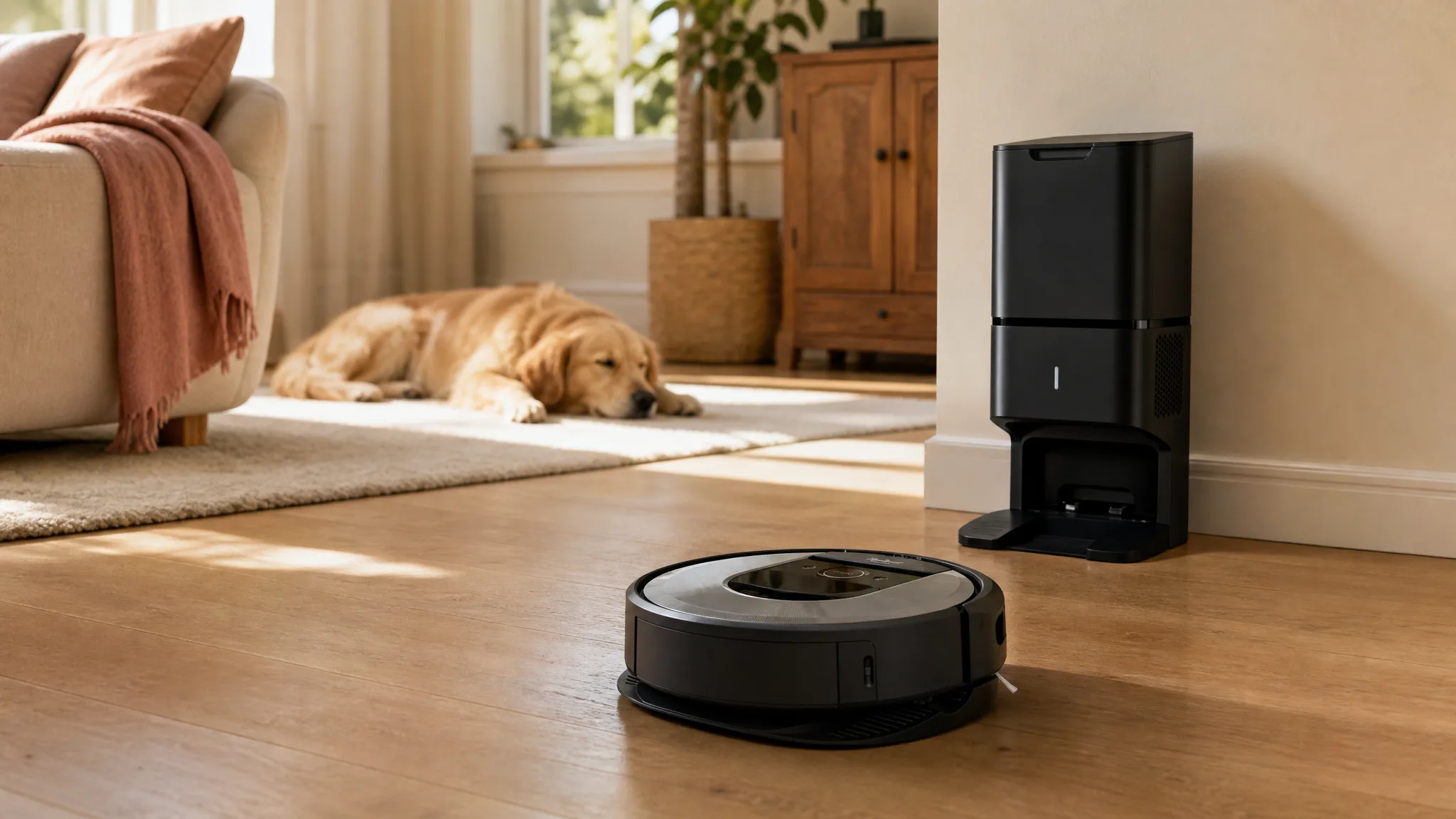
Dog hair collects fastest in the places you walk through and never stop in. The hallway, the strip of floor between the kitchen island and the sink, the gap under the dining chairs. The iRobot Roomba i6+ is built to handle exactly that on a schedule you set once and then forget. We compared this robot vacuum through our standard testing process for six weeks in a home with a shedding dog, mostly hardwood and tile with two low-pile rugs.
Verdict: The cleaning and the self-emptying base are as good as owners say. The noise of that base and the occasional missing map are what you pay for them. 8.4/10.
Best for: Busy households with shedding pets and mostly hard floors or low-pile carpet, where daytime runs are easy to schedule.
Skip if: You need a machine you can ignore in the same room, or your home runs dark and cluttered.

Irobot
iRobot Roomba i6+ (6550) Robot Vacuum with Automatic Dirt Disposal-Empties Itself for up to 60 Days, Wi-Fi Connected, Works with Alexa, Carpets, + Smart Mapping Upgrade - Clean & Schedule by Room
Best for
This vacuum works well for busy households with shedding pets and mostly hard floors or low-pile carpet, where you can schedule daytime runs to offset the noise; skip it if you need silent operation or have very dark, cluttered rooms.
This robot leaves floors noticeably cleaner with little daily effort, but mapping bugs and a loud self-emptying cycle are common pain points. You trade some navigation reliability and a startling noise for the convenience of room-by-room scheduling and weeks between bag changes.
Loved by buyers
- •Thorough cleaning on hard floors and carpet, reliably tackling pet hair and fine debris.
- •Self-emptying dock compresses dirt into bags that last weeks, so you aren't constantly emptying a small bin.
- •Smart mapping lets you schedule or target specific rooms and set virtual keep-out zones.
Buyer concerns
- •The self-emptying mechanism is shockingly loud, often startling family members or pets.
- •Mapping and software can be glitchy: maps sometimes disappear, keep-out zones may be ignored, and the app doesn't always alert you to issues.
- •Needs decent lighting to navigate; dark rooms or evening runs can cause it to get lost.
At a glance
| Detail | What we found |
|---|---|
| Model | Roomba i6+ (6550) |
| Type | Robot vacuum with an Automatic Dirt Disposal base |
| Navigation | Camera-based smart mapping. It cleans in rows and remembers the floor plan, when the map survives |
| Runtime | Around 45 to 60 minutes of actual vacuuming, then it docks, recharges, and picks up where it stopped |
| Emptying | The base compresses debris into a bag that lasts most homes up to 60 days |
| Room control | Clean and schedule by room, plus virtual keep-out zones in the app |
| App and voice | iRobot app, works with Alexa |
| Surfaces | Hard floors and carpet. Strongest on wood, tile, and low pile |
| Cleaning noise | Ordinary robot vacuum volume, easy to talk over |
| Emptying noise | Brief and very loud. Owners compare it to a jet engine and they are not exaggerating |
| Dark rooms | No. The camera needs ambient light or the robot loses its place |
What we liked
It gets floors clean rather than tidy
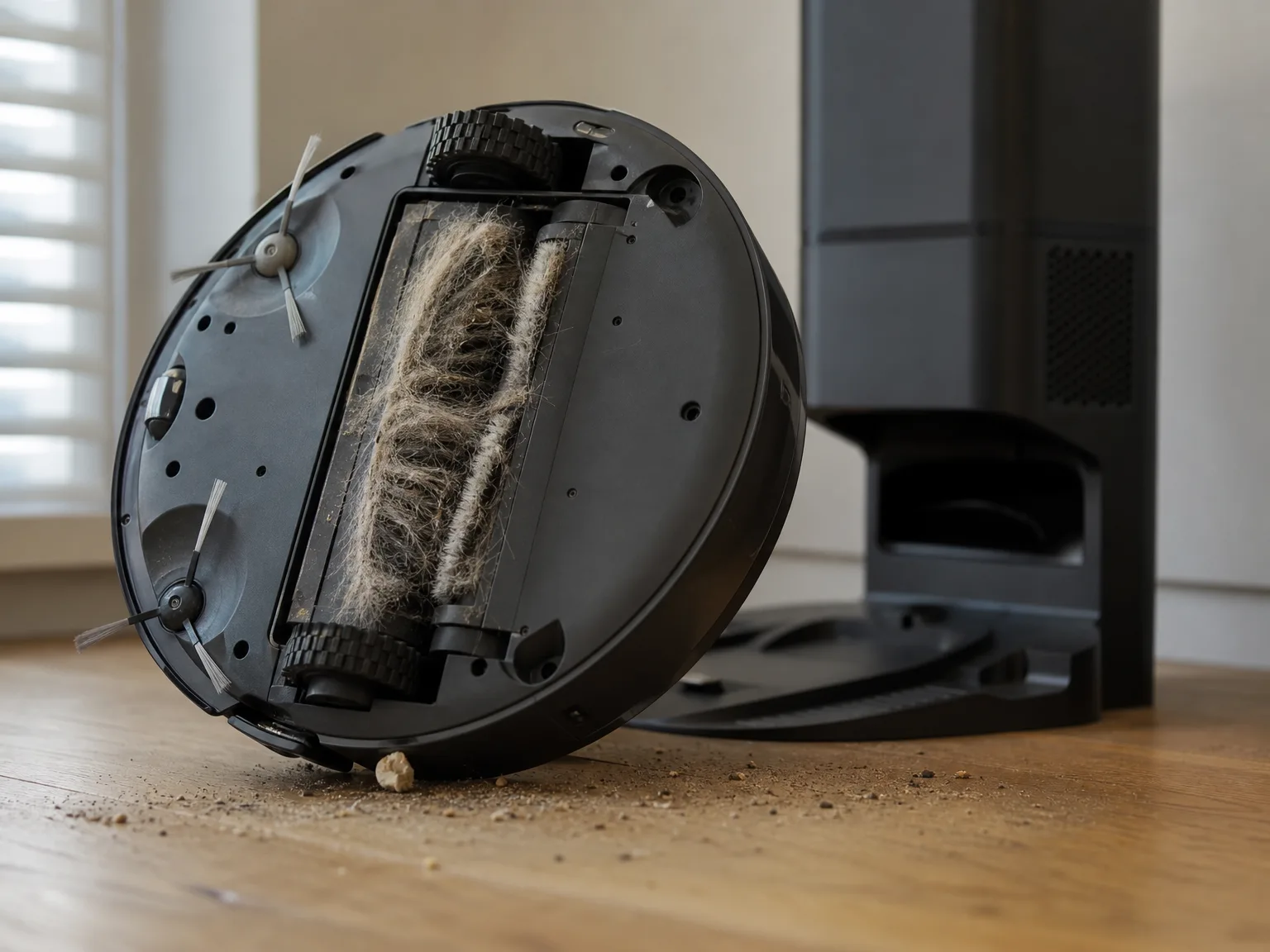
There is a difference between a robot that removes what you can see and one that removes what settled a week ago. This one does the second thing. On hardwood it lifted fine grit along with the visible fur, and the first few runs across our hallway produced a bin of compacted gray felt that looked nothing like the floor we thought we had.
Low-pile carpet is where cheaper bots usually give up, and the i6+ keeps working there. It does not extract deeply embedded fur the way an upright does, but it takes the top layer honestly and it takes it every day. Run daily and the baseline of the house shifts. You stop finding pet hair tumbling along the baseboards, because it never gets three days to gather.
The dock takes dirt off your hands entirely
This is the reason to buy this model instead of a cheaper Roomba. When the robot returns, the base pulls the bin empty and compresses everything into a sealed bag. In an average home that bag runs up to 60 days. Ours, with a dog who sheds constantly, went closer to five weeks before it looked ready to swap.
The practical effect is that the daily chore disappears. No small bin to carry to the trash, no cloud of dust when you shake it out, no forgetting and then wondering why suction dropped. Anyone who has owned a bin-emptying robot knows the self-emptying base is the upgrade that changes the routine.
Room-by-room scheduling is the feature you use every day
Once the map is built you can send the robot to the kitchen alone before dinner guests arrive, or set the living room to run every weekday at half past ten. Keep-out zones let you fence off the dog bowls and the corner where charging cables live. This is what a mapping robot is for, and the i6+ does it well when the software behaves.
The smart control side also stays out of the way. We opened the app perhaps twice a week after the first fortnight, mostly to fire a one-off kitchen clean. Alexa handles the same request without unlocking a phone, which matters more than it sounds when a bag of kibble hits the floor.
It cleans in rows and goes back for what it missed
Watch it work and the pattern is methodical. Straight passes, tight turns, a deliberate sweep of the perimeter. When something blocks a section it notes the gap and returns to it later in the run rather than writing that patch off. Over six weeks we rarely found an obviously skipped strip of floor after a completed job.
That coverage is what separates this class of robot from the bumper-car generation. You can send it out before people arrive and reasonably expect the whole floor to be done, which is exactly the certainty a budget robot cannot offer.
Where it falls short
The emptying cycle is genuinely startling
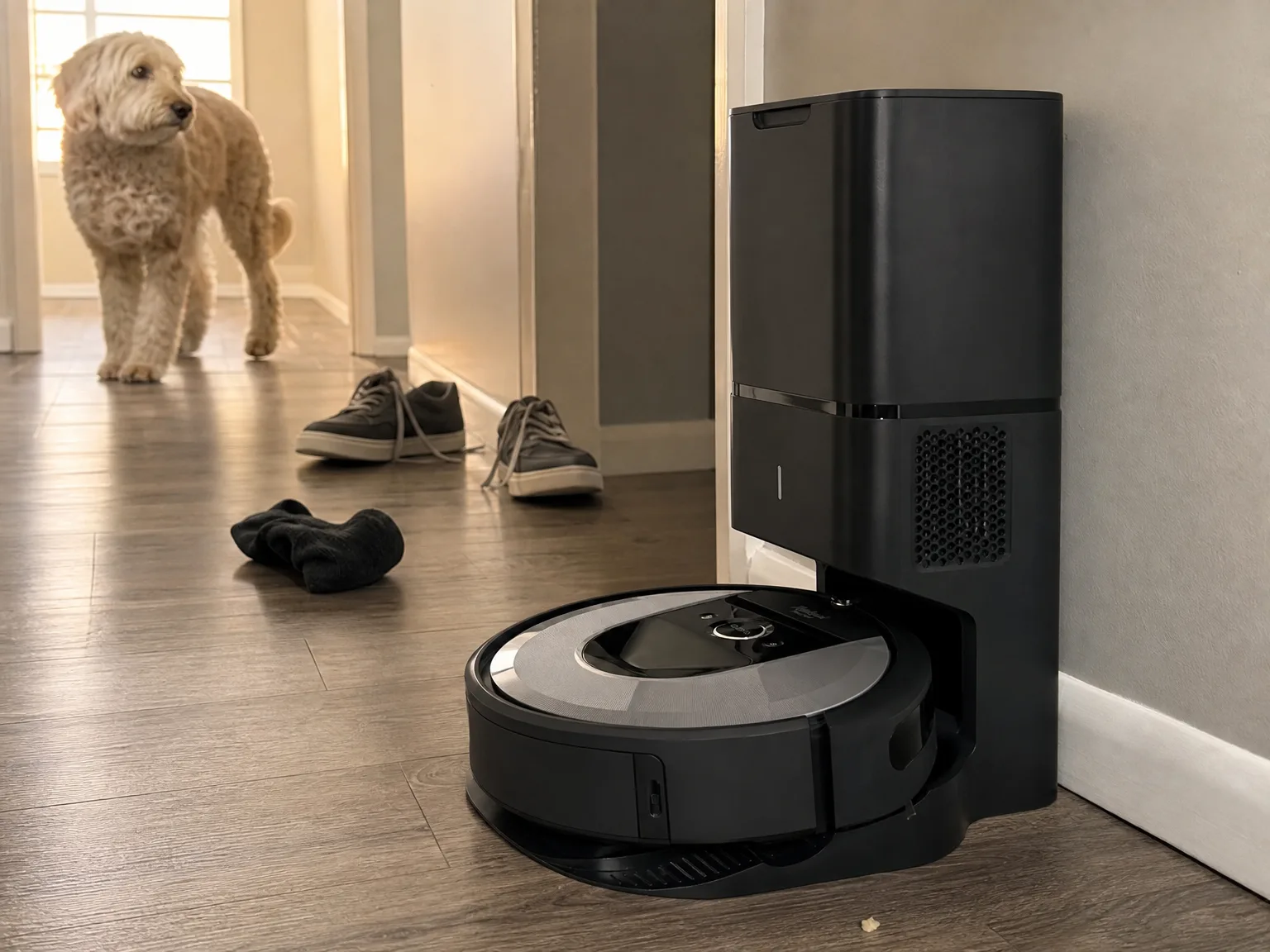
Nobody warns you properly about this. The vacuuming itself is fine, a low hum you can talk over. Then the robot docks and the base fires for a few seconds at a volume that stops conversation dead. Our dog left the room the first time and stayed wary of the base for a week afterwards.
It is brief, and you do get used to it. But it rules out running the robot while a baby sleeps, while you are on a call, or in the evening when the house has gone quiet. Everything about our schedule ended up arranged around that one noise, which is a real constraint rather than a quibble.
The maps do not always survive
Software is the weak part of this machine. Maps sometimes vanish and have to be rebuilt from a fresh training run. Keep-out zones get ignored often enough that we caught the robot in a fenced-off corner more than once. And the app does not reliably tell you when something has gone wrong, so you find out by coming home to a job that never ran.
None of it is constant. Most weeks it worked exactly as designed. But you should buy this expecting to remap occasionally and to glance at the app rather than trusting it blindly, and if you want a robot that never needs babysitting, this is not quite it.
It cannot clean in the dark
Navigation is camera-based, so the robot needs ambient light to know where it is. Schedule a run for late evening with the blinds shut and it will wander, fail to finish, or lose the map it was using. There is no infrared fallback to lean on.
For most households this is a scheduling detail rather than a dealbreaker, since daytime runs suit the noise problem anyway. It does mean a windowless basement or an interior room you keep dark will be handled poorly, and it means the quiet overnight cleaning some people want from a robot is off the table twice over.
Cords and small debris still clog it
Phone chargers, drawstrings, the odd length of ribbon. The suction path on this robot is easy to jam, and a clog means the run stops and you spend a few minutes with the underside flipped up. Small hard debris does the same thing less often but just as effectively.
The fix is a floor tidy before each run, which slightly undercuts the hands-off promise. We ended up with a rule that anything smaller than a shoe gets picked up the night before. Do that and the clogs mostly stop, and skip it and you will meet the error message.
Real-world performance
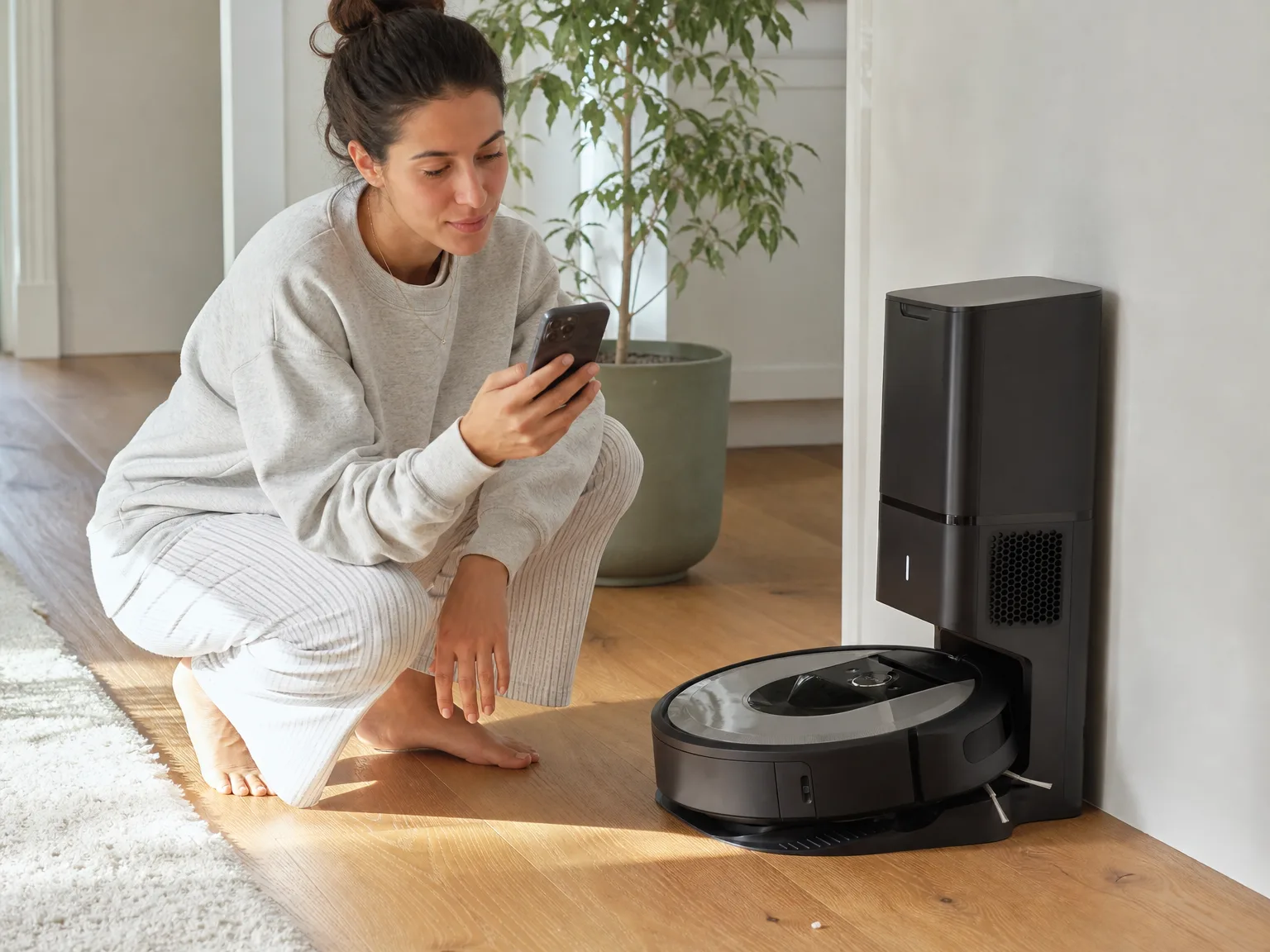
The weekday hard-floor run. This is where the i6+ pays for itself. A 10:30 am run through the hallway, kitchen, and living room came back with fur, sand tracked in from the yard, and crumbs nobody had noticed. After two weeks of daily runs the floors were simply better on a Wednesday than they used to be on a Saturday, which is the entire point of owning one.
Low-pile carpet. It climbs on and off our rugs without hesitation and the rollers reach into the fibres well enough for daily maintenance. What it will not do is pull out hair that has worked its way down to the backing. Roughly once a month we still ran an upright over the same rug and got a visible amount more. Treat the robot as the thing that keeps carpet from getting bad, not the thing that deep cleans it.
Working around the dock. We settled on mid-morning weekday runs once everyone was out. That single decision fixed the noise problem completely. If your household has someone home all day, or a pet who panics at sudden sound, think honestly about whether there is a window when nobody will be within earshot of the base.
A dark room. We tried an evening run in the back bedroom with the curtains drawn to see how bad it was. The robot circled, hesitated, and finished without covering half the floor. Turning the lamp on fixed it. This is worth planning for rather than discovering.
Battery and coverage. Expect somewhere between 45 and 60 minutes of actual vacuuming before it heads back to charge. On our downstairs that was enough in one pass. A larger home means the robot recharges partway through and resumes, so the job still finishes, it just takes hours rather than one session. Nothing gets stranded, but do not expect a whole floor of a big house to be done inside an hour.
Maintenance. The bag is the headline, and up to 60 days between changes held roughly true for us even with a heavy shedder. Everything else is the usual robot routine. Check the rollers for wrapped hair every couple of weeks, wipe the sensors when it starts behaving strangely near thresholds, and keep the floor clear of cords. Call it ten minutes a fortnight, which is much lighter than a bin-emptying bot demands.
How it compares to alternatives
If the mapping glitches are what worry you, the lidar-guided Roborock robot vacuum and mop is the sideways move. Lidar works in complete darkness, so evening runs and dark rooms stop being a problem, and it adds a light mop pass. You give up the self-emptying base and inherit a small bin that fills fast in a pet home, which is the exact chore the i6+ was designed to delete.
The closer competitor on convenience is the MONSGA robot vacuum and mop, which pairs lidar navigation with a base rated for about 90 days of debris and runs noticeably quieter. It has map quirks of its own and its mop is a simple wipe, so you are choosing between two different sets of compromises rather than upgrading outright. If the dock noise is your main objection to the i6+, that is the one to read next.
And if your home is mostly carpet rather than hard floor, no robot in this class will satisfy you. A machine like the Shark LA702 Rotator Pet Lift-Away pulls embedded fur out of rugs in a way the i6+ cannot approach. Buy an upright vacuum for the deep work and add a robot for the daily maintenance, in that order.
Who should buy it
Buy the i6+ if you run a busy house with a shedding pet, your floors are mostly hard surfaces or low-pile carpet, and there is a stretch of the day when nobody is home. That is the household this machine was built for. You get genuinely clean floors every day, room-by-room control when you need it, and weeks between any contact with the dirt itself.
Look elsewhere if quiet matters more than convenience, if your rooms are dark or permanently cluttered, or if you want appliances that never need a second look. The dock noise is not fixable and the software needs occasional attention. Anyone hoping for a robot that runs silently overnight should shop lidar instead.
What the money buys is the removal of a daily chore rather than a better clean than a good stick vacuum gives you. Cleaning that keeps up on its own, scheduling you can trust most of the time, and a bag you touch six times a year. What you give up is silence during the emptying cycle, a little map reliability, and the freedom to leave cords on the floor. For the right household those are easy trades, and for the wrong one they are constant irritations.
Frequently asked questions
Is the self-emptying dock really as loud as people say?
Yes. It produces a brief but intense burst of noise when it evacuates the bin, and it startles people and pets the first several times. It lasts only a few seconds. The practical answer is to schedule runs for when you are out or at least not in the same room, which is what we ended up doing every day of the test.
How often do I need to replace the disposal bag?
For most homes the bag lasts up to 60 days, because the base compresses debris rather than just dropping it in. Heavy shedders will get there sooner. Even so, filling a bag in under a month is unusual, and that is a completely different maintenance rhythm from emptying a small bin after every run.
How long does the battery last on a single charge?
Around 45 to 60 minutes of actual vacuuming before it returns to the base. It then recharges and resumes where it stopped, so a larger home still gets fully covered, it just spreads across a few hours instead of one continuous run.
Can it clean in the dark?
No. Navigation relies on a camera that needs ambient light. Dark rooms or night-time runs with the lights off can cause mapping failures and incomplete jobs. Leave a lamp on or schedule during daylight.
Does it handle carpet as well as hard floors?
It cleans both well for daily upkeep, and hard floors are where it looks most impressive. On low-pile carpet it lifts the loose layer of fur and grit reliably. Deeply embedded hair still needs an upright every few weeks, and high-pile rugs are outside what any robot of this type does properly.
Why do people say the mapping is unreliable?
Maps occasionally disappear and need rebuilding, keep-out zones are sometimes ignored, and the app does not always flag a failed run. It is intermittent rather than constant, and most weeks nothing goes wrong. Buy it knowing you will remap once in a while.
Bottom line
The Roomba i6+ cleans well enough that the floors in a pet household stay genuinely clean with no daily effort from you, and the self-emptying base removes the one chore that makes people stop using their robot. That is a strong combination. The cost is a dock that is startlingly loud for a few seconds every run, navigation that needs the lights on, and software that will lose a map now and then. If you can schedule daytime runs and your floors are mostly hard or low pile, buy it without much hesitation. If quiet operation is non-negotiable, read the MONSGA review before you spend anything.
In this article
- At a glance
- What we liked
- It gets floors clean rather than tidy
- The dock takes dirt off your hands entirely
- Room-by-room scheduling is the feature you use every day
- It cleans in rows and goes back for what it missed
- Where it falls short
- The emptying cycle is genuinely startling
- The maps do not always survive
- It cannot clean in the dark
- Cords and small debris still clog it
- Real-world performance
- How it compares to alternatives
- Who should buy it
- Frequently asked questions
- Is the self-emptying dock really as loud as people say?
- How often do I need to replace the disposal bag?
- How long does the battery last on a single charge?
- Can it clean in the dark?
- Does it handle carpet as well as hard floors?
- Why do people say the mapping is unreliable?
- Bottom line